AI TOOL / #07146
ImageToText
An extension that copies text from images on the internet via the OCR.Space API.
Introduction
An extension to copy text from images on the internet using OCR.Space API.
What is the OCR.Space API AI Chrome extension/plugin?
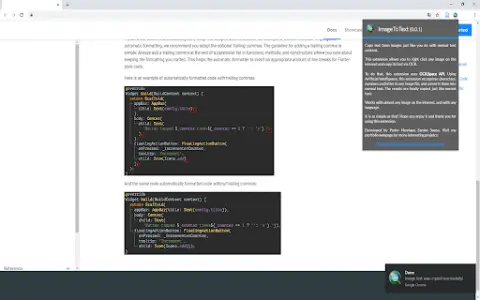
This extension lets you copy text from any image on the internet just like regular text content. Simple—that's the goal of this app. Just right-click the image, select “Copy Image Text,” and you're done… You can use and paste the text you see in that image. It's very useful for extracting text from informative, entertaining, and code-block images. Now you don't have to rewrite everything—with this extension, the problem is solved. To process images, this extension uses the OCR.Space API.
How do I use the OCR.Space API AI Chrome extension/plugin?
Right-click an image, select "Copy Image Text," and then paste the extracted text.
Core features of the OCR.Space API AI Chrome extension/plugin
Copy text from images on the internet.
Related
Crammer: Save time using AI
Crammer is a Chrome extension that uses AI to extract key information from articles.
tl;dr: GPT3 News Summarizer
An AI-based news summary tool that uses GPT3 to extract information quickly and efficiently.
SumMe – AI Article Summarizer
An AI web article summary generator based on GPT-4, which provides concise summaries.
WP AI Text Summarizer
A WordPress plugin designed for AI-powered text summarization, aimed at enhancing SEO performance and increasing user engagement.
T.read – AI based reading assistant
T.read is an AI-powered reading assistant that provides concise summaries of articles.
Casper AI
Casper AI is a Chrome extension that uses artificial intelligence to summarize content and streamline workflows.