AI TOOL / #06677
Voice Control for Netflix
Use voice control to operate Netflix: play, pause, fast-forward, and more.
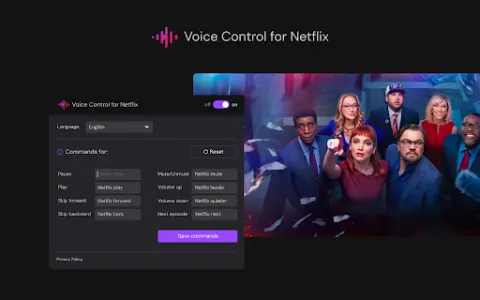
Introduction
Control Netflix with your voice: play, pause, fast-forward, and more.
What is the Voice Control for Netflix AI Chrome extension/plugin?
Netflix’s voice control allows users to manage their Netflix experience via voice commands. This includes tasks such as playing, pausing, and advancing videos, all without the need to use a remote control or touch the screen.
How to use the Voice Control feature for the Netflix AI Chrome extension/plug-in?
Simply enable Netflix’s voice control, and then use voice commands to control playback, navigate the menu, and search for content.
The core functionality of the Netflix AI Chrome extension/plugin for voice control
Use voice control to operate Netflix playback functions (play, pause, fast forward, rewind).
Hands-free navigation, Netflix menu
Voice search for films and TV shows
Related
Uktob.ai
AI-based solutions for customer service, sales, and lead generation, equipped with autonomous AI agents.
Rep.ai
A B2B AI real-time chat platform designed to assist in generating potential customers and converting leads into sales.
Trellus
An AI assistant for sales calls that provides real-time guidance and automation.
Astro
An AI assistant that enhances productivity, capable of integrating with corporate systems via voice or text.
monobot.ai – Virtual AI Assistant
Monobot AI automates tasks and provides customizable AI-based chatbots available 24/7.
Reactor by ARC
AI-powered applications feature voice assistants, advanced AI capabilities, and efficient energy consumption.