AI TOOL / #06631
Voice-to-ChatGPT
Voice-controlled ChatGPT interactions via browser plug-in.
Introduction
Voice-controlled ChatGPT interaction via a browser extension.
What is the Voice-to-ChatGPT ai chrome extension/plugin?
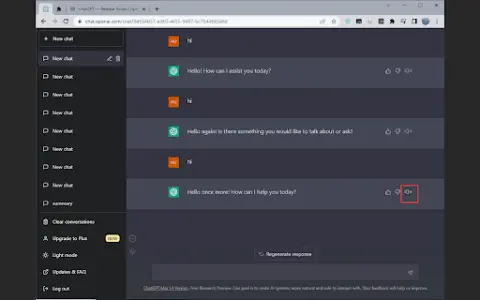
Voice Control ChatGPT is a browser plug-in that allows users to interact with the ChatGPT language model through voice. It leverages Google Chrome's speech recognition and text-to-speech technology to enable users to use voice input and audible replies from ChatGPT. Users can hold down the button to speak their question, release the button to send, and optionally cancel or edit before sending.
How to use Voice-to-ChatGPT ai chrome extension/plugin?
Open the ChatGPT homepage, press and hold the Talk button to speak, and release the button to send your question. You can cancel or edit your entry before sending.
Voice-to-ChatGPT ai chrome extension/plugin core functionality
Voice input to ChatGPT
Text-to-speech output for ChatGPT
Major languages supported
Press and talk function
Related
Chat Figures
Artificial intelligence tools used for automatically extracting information from scientific diagrams.
i10X: ChatGPT & 500+ AI Models & Tools — Full Access from just $8!
An integrated AI platform that offers over 500 AI tools and top-tier models all within a single subscription.
Bibit AI
AI-driven CRM in the real estate industry simplifies tasks and enhances customer interactions.
Podcastworld.io- Perplexity for Podcasts
An AI-powered podcast search engine and content creation platform.
IdeaAize
An artificial intelligence-driven platform that provides services for content creation, voice generation, image processing, and code development.
Nichesss
An artificial intelligence platform designed for generating content and business ideas.