AI TOOL / #06135
Ask Screenshot for ChatGPT
Improve ChatGPT productivity by analyzing screenshots and selected text.
Introduction
Enhances ChatGPT productivity by analyzing screenshots and selected text.
What is the Ask Screenshot AI Chrome extension/plugin?
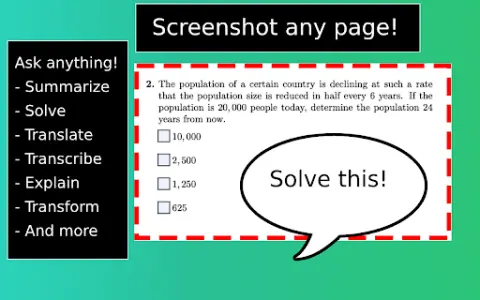
Ask Screenshot is a tool designed to improve productivity in ChatGPT, allowing users to analyze screenshots or selected text directly within ChatGPT. It offers features such as summarization, transcription, and translation, making it easier to extract information and process content from visual and textual sources.
How do I use the Ask Screenshot AI Chrome extension/plugin?
To use Ask Screenshot, right-click anywhere on any page and hover over Ask GPT to access the available screenshot templates. For selected text, right-click the selected text and hover over Ask GPT to view the available templates.
Core features of the Ask Screenshot AI Chrome extension/plugin
Screenshot and analyze: Take a screenshot and automatically open it in ChatGPT for analysis.
Text selection and analysis: Right-click any selected text to automatically open it in ChatGPT.
Related
seasalt.ai
A conversational experience platform that combines generative artificial intelligence and speech recognition.
Serenade for Chrome
A voice-controlled tool for coding and web navigation.
Whisper GitHub
A general-purpose speech recognition model developed by OpenAI.
PredictionHealth Sidekick
An AI-powered Chrome extension that helps make the process of documenting medical information faster, easier, and more compliant with regulatory requirements.
Yishow: Create video how-to guide
Yishow automatically generates video and text guides, revolutionizing how content is created.
Limeline
An AI conference assistant designed to automatically handle telephone calls, take notes, and collect data.