AI TOOL / #05876
Do Browser
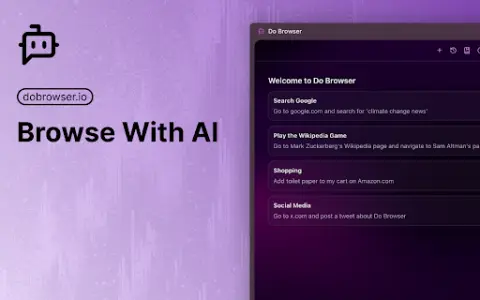
An AI-powered Chrome extension that enables control of the browser via natural language commands.
Introduction
AI-powered Chrome extension for browser control using natural language.
What is a Do Browser AI Chrome extension/plug-in?
Do Browser is an AI-powered extension for Chrome that allows users to control their browser using natural language commands. It provides quick access through the address bar or keyboard shortcuts and also supports voice commands. Its purpose is to simplify tasks such as filling out forms, shopping, and navigating complex web interfaces.
How to use the Do Browser AI Chrome extension/plug-in?
Enter “do” in the address bar or use the shortcut keys Cmd+K/Ctrl+K to activate the Do Browser. Then, use natural language commands to instruct the extension to perform tasks within the browser.
What are the core functions of browser AI Chrome extensions/plugs?
Natural Language Browser Control
Access via the address bar and keyboard shortcuts
Voice command support available
Related
Kaspian
Kaspian is a search engine that understands context and provides personalized results.
NoowAI
AI virtual assistants and AI-generated product stores.
Perfect Wiki
An AI-powered help center that integrates with Microsoft Teams, enabling knowledge management and support functions.
Autopilot for Slack
AI assistant: Unify company data to quickly answer questions related to the workplace.
AskPPT
An AI assistant that lets you chat with your presentation, providing intelligent Q&A and mind maps.
DIDASKO BOT
A tool designed to automate and expedite the completion of user exercises across seven different modules.