AI TOOL / #04214
Spot AI
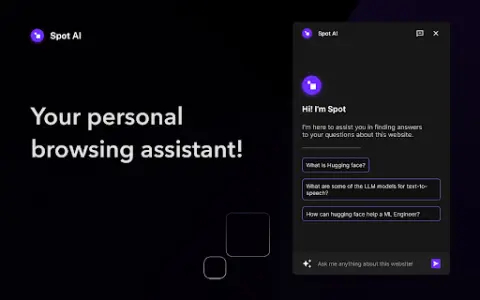
Spot AI reads web pages to answer your questions.
Introduction
Spot AI reads webpages to answer your questions.
What is the Spot AI Chrome extension/plug-in?
Spot AI is a browsing assistant that can read web content and answer questions based on that information. It enables users to easily conduct research and obtain information. It is available as an extension for Chrome and is also compatible with Brave and Arc browsers. Once installed, it can be activated by using the CMD/CTRL + K shortcut key.
How to use the Spot AI Chrome extension/plug-in?
Install the Spot AI extension in Chrome, Brave, or Arc. After installation, activate it by using CMD/CTRL + K. For the best experience, fix the extension in your browser. Then, pose your question, and Spot AI will read the relevant text on the web page to provide you with an answer.
The core functions of the Spot AI Chrome extension/plug-in
Read a web page and answer questions based on its content.
Compatible with Chrome, Brave, and Arc browsers.
Launch it by pressing CMD/CTRL + K.
Related
Talking Tree
Affordable AI legal tools that simplify document management and legal tasks for small and medium-sized businesses.
Lawformer AI
An artificial intelligence tool designed for legal teams, used to manage knowledge and create a database of contractual clauses.
SpendSights
A privacy-friendly spending management tool that analyzes transactions listed on bank statements.
SaaSpec
Track the costs associated with LLM API tokens, export relevant data, and generate Stripe invoices for pay-as-you-go software solutions.
Pump
Utilize an AI-powered cloud cost optimization tool designed for group purchases to help startups save money.
EvryThink 1.0 – Financial Planning
Artificial intelligence-based financial tools designed for startups, small and medium-sized enterprises, and freelancers.