AI TOOL / #03399
Snipo
Snipo allows users to record video notes with timestamps in Notion and generates AI-based flashcards as a result.
Introduction
Snipo takes timestamped video notes in Notion with AI flashcards.
What is Snipo?
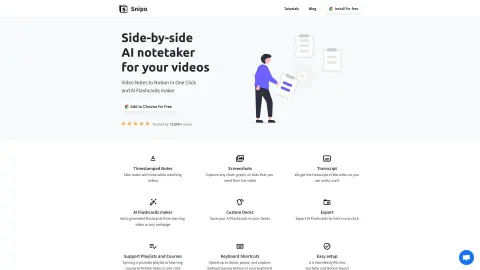
Snipo is a tool that allows users to take timestamped notes directly within Notion while watching videos. As users navigate through the content, the tool synchronizes seamlessly with the course material. Its features include split-screen mode, screenshot capture, and video clip recording. It also enables the creation of AI flashcards from learning videos or any web pages.
How to use Snipo?
Install the Snipo Chrome extension. When watching videos on platforms such as YouTube, Udemy, Coursera, Skillshare, or LinkedIn Learning, use Snipo to take timestamped notes, which will be automatically synchronized to your Notion workspace. You can also capture screenshots and video segments, and use these to generate AI flashcards based on the video content.
The core functions of Snipo
Take notes with timestamps in Notion.
AI flashcard generation
Screenshot and video clip capture
Accessible text transcription
keyboard shortcuts
Supports the playback of playlists and courses.
Related
Averroes Ai Automated Visual Inspection
AI visual inspection software that requires no coding, with high accuracy and low false alarm rate.
Plagiarismcheck.org
Accurate plagiarism detection tools and AI systems for assessing the originality of texts.
ClickMoat
AI-based protection against click fraud, applicable to both Google Ads and Facebook advertising campaigns.
Anomify
An artificial intelligence platform for real-time metric analysis, issue detection, and anomaly identification.
WasteAID
Cloud-based AI waste management, audit, and compliance software provided by Ecorithms.
Dog Breed AI
Photo-based AI-powered dog breed identification.