AI TOOL / #03225
Illiad
Illiad transforms web pages into personalized, AI-driven knowledge bases, thereby facilitating an intuitive learning experience.
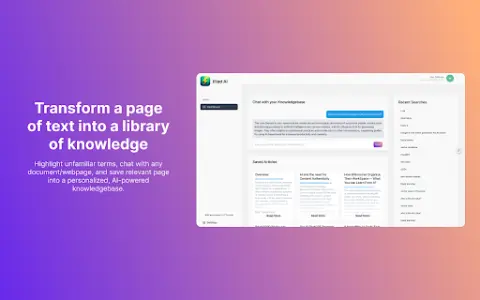
Introduction
Illiad transforms webpages into a personal, AI-powered knowledge library for intuitive learning.
What is the Illiad AI Chrome extension/plug-in?
Illiad makes the process of learning and memorizing information much more intuitive. It transforms web pages into personal knowledge libraries, allowing users to highlight key terms, engage in real-time interactions with documents, and store information in an AI-driven knowledge base. It provides immediate context for any page, enabling users to engage more deeply with the content and to effortlessly save articles, research papers, and blog posts.
How to use the Illiad AI Chrome extension/plug-in?
Use Illiad by highlighting terms on web pages to obtain immediate explanations, definitions, and context information. Engage in real-time conversations with the content and ask questions. With just a few simple steps, you can save the information and build your own knowledge base. You can also discuss the saved pages with the AI assistant.
The core functions of the Illiad Chrome extension/plug-in
Transform the page into a personal knowledge base.
Provide instant context and highlighted terms for each page.
Real-time interaction with the content
Save content seamlessly
AI-driven knowledge base
Related
Question Base
A knowledge base that utilizes artificial intelligence to automatically answer questions within Slack.
Cratecode
Interactive, non-linear programming courses that combine artificial intelligence guidance with user-generated content.
iAsk Ai Generative Ai Search Engine
A free AI search engine that provides unbiased, accurate answers.
One-Click Lesson
An AI-powered tool used for providing instant interpretations of highlighted text on web pages.
Text Selected
An extension for selecting text and retrieving relevant answers from a remote JSON file.
Shift-Ctrl-F: Semantic Search for the Browser
A Chrome extension that uses MobileBERT to search for and highlight answers on web pages.