AI TOOL / #02660
Grok Button
A browser extension that provides quick access to Grok AI.
Introduction
A browser extension for quick access to Grok AI.
What is a Grok Button?
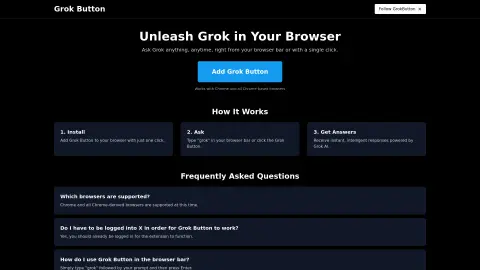
The Grok button is a browser extension that seamlessly integrates the powerful capabilities of Grok AI into your web browser. Users can submit their questions by entering “grok {your question}” in the browser address bar or by clicking the Grok button, and they will receive instant, intelligent responses.
How to use the Grok Button?
Install the Grok button extension. To use it, enter “grok” followed by your question in the browser address bar, then press Enter, or click the Grok button.
The core functionality of the Grok Button
Quickly access Grok AI from your browser.
Answer questions immediately
Integration with Chrome and Chrome-based browsers
Related
coronarography.ai
AI-based application to predict coronary artery pathology from ECG images and risk factors.
Read My MRI
AI-powered services that convert medical imaging reports into easy-to-understand patient summaries.
CODIO, AI-powered medical coding tool
MediCodio is an artificial intelligence-based medical coding tool that automates and simplifies the coding process.
Nabla Copilot
AI assistants are used to generate clinical notes, thereby saving time and enhancing the quality of patient care.
ScribeMD – AI Medical Scribe
A healthcare-focused AI platform that streamlines workflows and reduces doctors’ administrative workload.
Healthjump Beacon
Real-time integration of patient data into EMR systems enhances the quality of medical services.