AI TOOL / #01896
atccloud.net
Systems based on artificial intelligence, used for actively controlling business processes and predicting failures.
Introduction
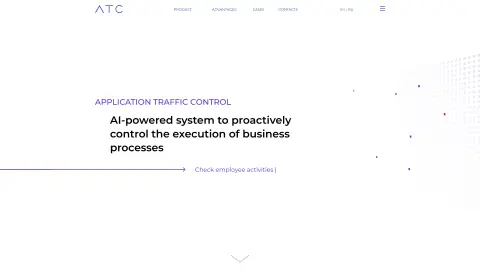
AI-powered system for proactive business process control and failure prediction.
What is Application Traffic Control?
Application Traffic Control (ATC) is an artificial intelligence-based system designed to actively manage the execution of business processes. It is capable of predicting failures within IT systems and business processes—failures that are often invisible in traditional monitoring systems—and helps to resolve these issues before they have a negative impact on operations. ATC provides transparency and objective insights into the progress of business processes, enabling the identification of deviations and the root causes of inefficiencies. Its purpose is to ensure that corporate employees adhere to established rules and assist them in correcting any mistakes or violations.
How to use Application Traffic Control?
ATC utilizes artificial intelligence to predict failures within business processes and IT systems. It provides dashboards that enable end-to-end control over the execution of business processes, based on service level agreements (SLAs) and key performance indicators (KPIs) specific to those processes. Additionally, this system helps identify issues and limitations related to IT infrastructure as well as employee activities.
The core functions of Application Traffic Control
Fault prediction based on artificial intelligence
Transparency and control over business processes
Achieve end-to-end control through real-time dashboards.
Data-driven analysis
Employee Activity Monitoring
Process improvement
Related
BgSub
BgSub is a website that utilizes AI technology to automatically remove or replace the background of images, without ever uploading users’ image data – thus providing comprehensive protection for their privacy.
Main features:
- Remove image backgrounds;
- Replace image backgrounds;
- AI-based color adjustment;
- Flexible customization options.
Look for resources
At 06:53:02 on December 10, 2023, this resource became invalid and is no longer available. Only the introductory article regarding it remains. “Find Resources” is a search engine designed specifically for Alibaba Cloud Disk, which helps you quickly locate resources stored in this cloud storage service. The database is updated continuously throughout the day and night, and expired links are automatically removed. To access the latest resources, simply refresh the homepage!
PotPlayer
The PotPlayer media player was developed by the same creator who originally created KMPlayer. It is a local video playback software for Windows that has gained widespread recognition among users for its simplicity, lack of intrusive advertisements, and powerful features. Many people consider it to be the most user-friendly computer video player available. Official website: http://potplayer
Chick Dictionary
At 01:10:12 on August 9, 2023, this website was closed. The “Chick Dictionary” is an entertainment and science popularization community based on meme culture; it serves as an open modern Chinese dictionary. It allows users to create their own entries – whether they involve the latest trendy buzzwords from the internet or terms from the early days of the web.
FineinBook
Expired on October 5, 2022! FineinBook is an e-book download website. There are more than 10 million e-books on the website, and all e-books are free to download. It is a very good alternative to the e-book download website Zlibrary. Website address: http
Animation Drawing
“Animation Drawing” is a tool that enables drawings to come to life. Upload the illustrations of characters created by your child – whether they represent people, animals, anime characters, or anything else – and the website will use AI technology to transform these images into interesting animations. You can also choose from a wide range of different movements for the characters. Here are the steps: 1. Click “Upload…”