AI TOOL / #01418
MimicPC
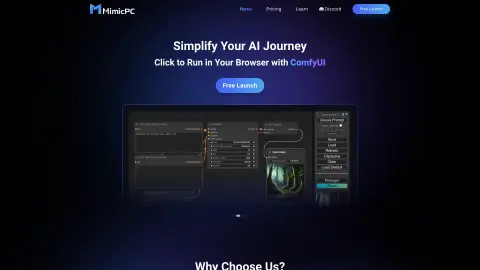
MimicPC: an affordable, customizable, open-source AI platform accessible from any browser.
Introduction
MimicPC: Affordable, customizable open-source AI platform accessible from any browser.
What is MimicPC?
MimicPC lets users access popular open-source AI apps through the browser on any device, with no expensive hardware or installation steps. It offers a customizable and affordable open-source AI platform where users can save plugins, models, and configurations in a private cloud workspace and switch GPUs at any time to suit different needs. Users can create AI images, videos, and audio, train LoRA models without deployment, and add custom models for endless possibilities—all at a budget-friendly price.
How do you use MimicPC?
Access MimicPC through the browser on any device. After logging in, select an AI app, configure the settings, and start creating. Upload custom models and nodes to personalize your experience.
MimicPC's core features
Access pre-installed AI apps
Customizable AI models and nodes
Workflow template
Affordable GPU Performance
Private cloud workspace
Related
Talkery: AI analyser
Talkery is a Chrome extension powered by AI speech analysis technology, which provides real-time feedback on communication patterns and offers suggestions for improvement.
Instaminutes – #1st Meeting Intelligence tool
Instaminutes reduces meeting summaries to concise, actionable notes that are only one-tenth the length of the original transcribed text.
Rafiki
Record, transcribe, summarize, and analyze online meetings.
Meetklu
Klu Meet captures and transcribes meetings, while also providing AI-generated notes.
Claap
AI sales assistant automates transaction records, CRM updates, follow-up emails, and provides insights.
Observe.AI Screen Recording
Browser extension for recording an agent's screen during customer interactions, for use with Observe.AI.