tensorViz
Directly visualize the structure of a PyTorch model from its source code.
Introduction
TensorViz addresses a very specific issue: helping people understand what a PyTorch model actually looks like.
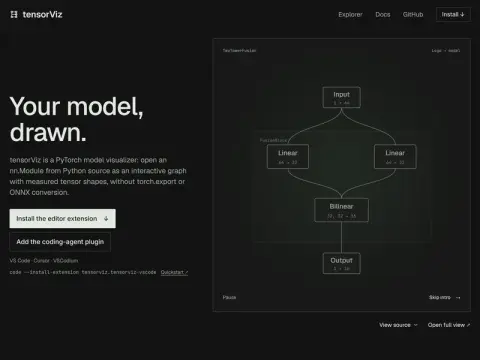
In the past, in order to visualize the network structure, it was usually necessary to first export the model in ONNX format or use the `torch.export` function. However, exporting more complex models would often result in errors. TensorViz, on the other hand, allows users to directly open an `nn.Module` object from its Python source code and create an interactive diagram. Each edge of this diagram indicates the actual shape of the tensor involved; clicking on any node will take the user back to the corresponding source code section.
It is an editor extension that can be installed on both VS Code, Cursor, and VSCodium – all with just one command.
An additional plugin was provided for programming agents. This allows the AI to “see” the structure of the network and the shape of each layer before modifying it, thereby reducing the likelihood of errors due to mismatched dimensions.
The code is available on GitHub. It comes in handy when you need to read someone else’s model code, debug issues related to shape mismatches, or create schematic diagrams for research papers. However, those who only perform inference tasks without delving into the internal workings of the models won’t find it necessary.