Spellbook
AI contract drafting tool
Introduction
The definition and main functions of Spellbook
Definition of Spellbook
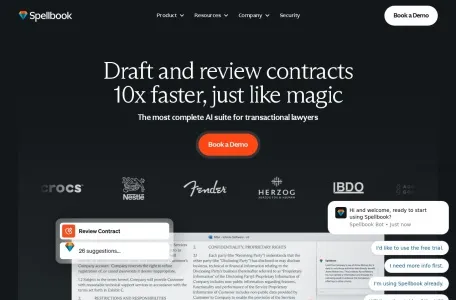
Spellbook is a contract drafting and review tool based on artificial intelligence technology. It uses OpenAI's GPT language model to assist legal professionals in drafting and reviewing contracts efficiently.
Spellbook’s main features
1. Contract review: Spellbook can instantly generate accurate redline annotations to facilitate users to view, compare and modify.
2. Language suggestions: Utilize the powerful performance of GPT-4 to provide high-quality language suggestions and improvements for contracts.
3. Smart Drafting: Quickly draft new clauses and entire sections based on the context of the agreement.
4. Terms detection: Detect radical or unusual terms and provide warnings.
5. Suggestions on negotiation points: Provide common suggestions on negotiation points based on the contract content.
6. Automated due diligence: Automatically detect issues in the data room to ensure contract comprehensiveness.
Features of Spellbook
1. Integrate with Microsoft Word: Spellbook is seamlessly integrated with Microsoft Word, providing a smooth usage experience.
2. Reference external facts: Not only understand the contract, but also refer to real-world facts (sources such as Wikipedia and books) to provide more comprehensive advice.
3. Efficiency: AI technology is used to automatically handle tedious tasks in the contract review and drafting process, improving the work efficiency of legal professionals.
4. Flexibility: Supports multiple contract types and scenarios to meet the needs of different users.
Who is Spellbook suitable for?
Spellbook is mainly suitable for the following user groups:
1. Lawyers and legal professionals: Especially lawyers who deal with contract matters, it can significantly improve the efficiency and accuracy of their work.
2. Legal advisors and in-house legal teams: businesses and individuals who need to frequently draft and review contracts.
Frequently asked questions about using Spellbook
Regarding common problems when using Spellbook, since specific problems and solutions may vary depending on the user's specific needs and usage environment, the following are some common problems and general solution suggestions:
1. How to start using Spellbook?
Solution: Users can apply for early access on Spellbook’s official website. Once connected, you can integrate Spellbook into Microsoft Word and start using it.
2. What is the pricing of Spellbook?
Solution: According to public information, the starting price of Spellbook is free, but specific pricing details have not been announced. Users may need to contact the developer directly for more information.
3. How to optimize the performance of Spellbook?
Solution: Users can optimize the performance of Spellbook by properly allocating system resources and closing unnecessary background programs. At the same time, ensuring that the equipment meets Spellbook's operating requirements is also key.
4. How to deal with Spellbook recognition errors?
Solution: Due to the limitations of AI technology, Spellbook may experience recognition errors when dealing with complex or ambiguous contracts. At this time, users should carefully check the content of the contract and make judgments and corrections based on their own professional knowledge.
Please note that the above solution suggestions are for reference only. Specific problems may require users to flexibly handle them based on actual circumstances.